Friday, March 7, 2008

Portfolio-Pod


Your I-Pod can be a terrific on the go portfolio that will allow you to show your artwork to anyone at anytime, anywhere. Check out the video from Natasha Wescoat below to learn more. I love her tax tip ... she suggests that your i-pod can be a tax write off if you use it this way. Ok this is my last post for awhile about promoting your artwork in the digital age. Tomorrow I will post our Artist Choice special for March.

It snowed here in Texas

"Big Tommy In the Snow"

Well today I was going to talk about digital portfolios and new inventive ways to show off your artwork off-line, but that will have to wait. It snowed over night and it has been so long since we have seen snow in Texas I had to get outside and take some pictures of the Scotties in our very light dusting of powder. As always Big Tommy was the most photogenic and the easiest to shoot. That white stuff in between the green is our "powder". I hope all my pals in Colorado do not laugh too hard at my enthusiasm.

Thursday, March 6, 2008

Promoting Your Art On the Web

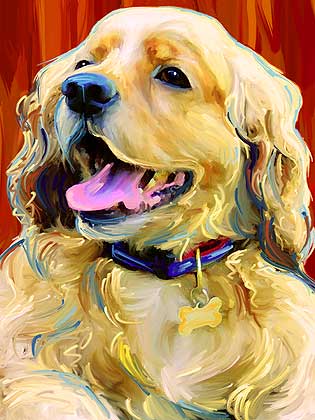
"Barney"

This post is for my fellow artists and any entrepreneur looking to expand their reach. This week I want to discuss ways, places and ideas for promoting your artwork on the web and what it really means to be an artist in this digital age. I am over 40, and trying hard to keep up with all the groovy technology advances that keep popping up all over the place. Suggestions and ideas are welcome, post a comment and tell us what is working for you?

On Web Trends...
It is tough to stay ahead of the curve when it comes to the web and what is hot at any given moment. Remember Flash intro pages? Arrrg! I hated those when they were a "must have" for every cool design oriented site. Yep the web has had many fads and as soon as everyone found their comfort zone with blogging then the new thing was "Vlogging". I do not think a "Vlog" would ever be the thing for me, so I do not mind missing that bus. The thing to keep in mind is that while you do not have to jump on each new web trend that comes along, it is still a very good idea to try to stay abreast of what is going on.

About Your Neighborhood ...
So you set up your own website and now what? Your website is like one address in one little city .... so where do you go from here? Where are there some other neighborhoods for you to play in? Do you want to sell on Ebay? Some artists do not like the "all inclusive", garage sale atmosphere of Ebay ... is that you? Ok then maybe that is not the neighborhood for you, what about Etsy? Think about the style of artwork you do and then go out and look for some folks you would like to be neighbors with. If you do floral paintings then dive into the web one night and spend the entire evening looking at other floral painters on-line. Where are they promoting their art? Where are they selling their art?

The Good The Bad and The Ugly ....
When looking at communities or sites to post your artwork on let your design instincts be your guide. If the site is not well designed then you might want to pass. However, you might also want to consider the traffic that a site gets. I decided that due to the overwhelming ease of use, and the sheer number of visitors it is going to be ok for me to post my new portfolio videos on the same website ( youtube.com) that has videos of people getting hit in the face with pies (OK and maybe a lot worse). Your ideal new web-neighborhood will have great art that you admire, and a stunning interface such as imagekind.com. If you are brave, you may also want to try some more common hang outs such as You Tube ... it really just depends on your audience.

Finding Time to Market...
Don't have time to promote yourself on-line? I hear this all the time from fellow artists and it is such a cop-out. Break the year up into quarters and promise yourself that you will do one web-oriented marketing task per quarter. By the end of the year you will have a web presence in 4 new on-line market places, or art communities.


Word Illustration

Below you can see the final concept for a typographic word illustration assignment from school...

Typeface: Times New Roman;

Tools: Pen, Paper, Adobe Illustrator;


InPreflight

Zevriz has updated InPreflight, a quality control solution for Adobe InDesign that lets users locate potential problems and produce error-free documents, to version 2.2.5. The software now correctly reports the color mode of Illustrator CS3 EPS files saved with the “Include Thumbnail” option. Full article

Wednesday, March 5, 2008

Our 15 minutes of fame

Our work was featured this morning on The Today Show and they have already added it to their site so I will try to embed that below:


Thanks to Susanna and Molly!
Visit Susanna by clicking here.

Tuesday, March 4, 2008

Clothing Design Software for Fashion Designers

Harper Arrington Publishing LLC(www.DigitalFashionPro.com) today announced the release of The Creative Pack 1 upgrade for Digital Fashion Pro - Fashion Design System. The DigitalFashion Pro System is an innovative solution that gives fashion designers, students, and even ordinary people the tools they need to design their own cutting edge fashion collection using digital fabrics and garment templates...

Harper Arrington"The Creative Pack 1 upgrade was invented to give clothing and shoe designers a host of new resources to develop their designs with," said Michael Harper, co-developer of Digital Fashion Pro and The Creative Pack 1, and co-founder of Harper-Arrington Publishing LLC. "The Creative Pack 1 features The Shoe Factory, Designer Series Templates Trend 1 Library, Digital Fabric Pack 2 and The Vector Art Gallery. We are really proud of this new product. We set out to make Digital Fashion Pro the best fashion design system in the world, and we strongly believe the Creative Pack 1 has brought us closer to that goal." Full article

DETROIT, Mich., March 3 (SEND2PRESS NEWSWIRE)